Choose a Template
Alev-B includes over 20 battle-tested assessment templates covering a wide range of IT domains — from DevOps and cloud to AI strategy and governance. Instead of starting from scratch, select the right template, fill it with your insights, and immediately get structured results and AI recommendations.
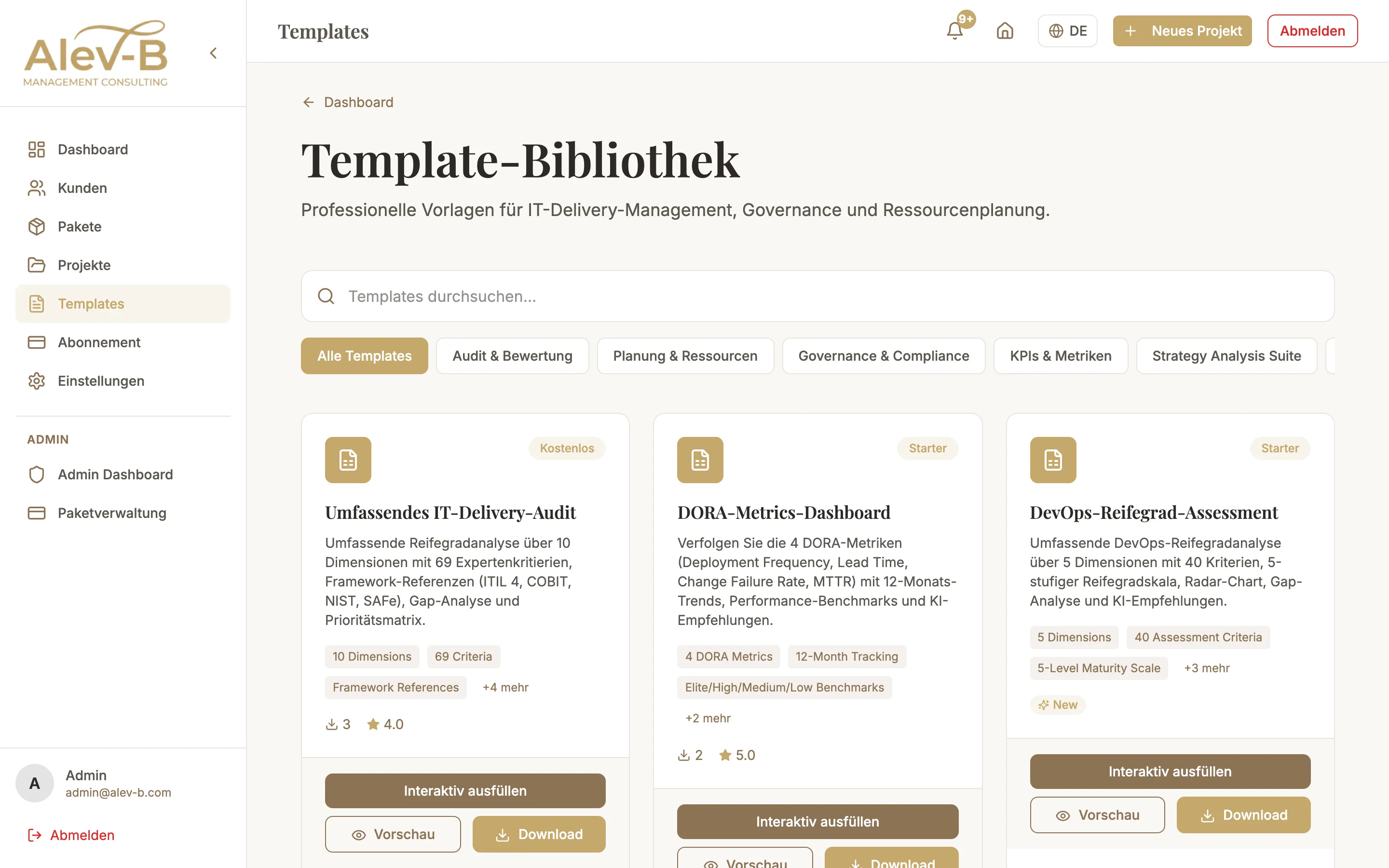
Template Library
The library is organized by domain. Here is an overview of the available categories:
- IT Delivery Audit — Delivery processes, release quality, sprint efficiency, team velocity
- Security & Compliance — Security maturity, NIST CSF, CIS Controls, GDPR readiness
- AI & Automation — AI maturity, MLOps, RPA readiness, data quality
- IT Strategy — Digital transformation, innovation culture, IT-business alignment
- DevOps — DORA metrics, CI/CD maturity, platform engineering, SRE adoption
- Cloud — Cloud adoption, FinOps, multi-cloud strategy, migration readiness
- IT Governance — COBIT alignment, risk management, IT steering, vendor management
Plan Requirements
Access to the template library depends on your subscription plan:
- Free — 3 templates (entry-level IT Delivery Audit, Security Basics, AI Quickcheck)
- Starter — 8 templates across all categories
- Professional — 15 templates including industry-specific variants
- Enterprise — All templates + custom templates on request
Standalone vs. Project-Bound
You have two options for using a template:
- Standalone — The assessment is conducted independently of clients and projects. Ideal for internal analyses, demos, or a quick first impression. Results are private and not linked to a client.
- Project-bound — The assessment is part of a project for a specific client. The client's industry and company size flow automatically into benchmark calculations. The assessment appears in the project PDF report.
Selecting a Template
Open the template library
Click "Templates" in the left sidebar. The library shows all available templates as cards — with category, number of questions, and maturity focus.
Filter and search
Use the filter bar at the top to filter by category, plan tier, or keyword. Search covers titles, descriptions, and tags.
Start the template
Click on a template card to open the detail view. From there you can start the assessment standalone or add it to an existing project.
Next Steps
Once you have selected a template, fill out the assessment:
- Fill Out an Assessment — answer questions, understand scores
- Benchmarks — compare results with industry data
- AI Recommendations — generate personalized action recommendations