Cross-Template Synthesis
Individual template assessments show the picture within one domain — Cross-Template Synthesis shows the big picture. The AI analyzes the results across multiple assessments in a project, recognizes overarching patterns, correlates risks, and shows which improvements block or reinforce each other. The result is a strategic overall view that goes beyond what individual assessments can deliver.
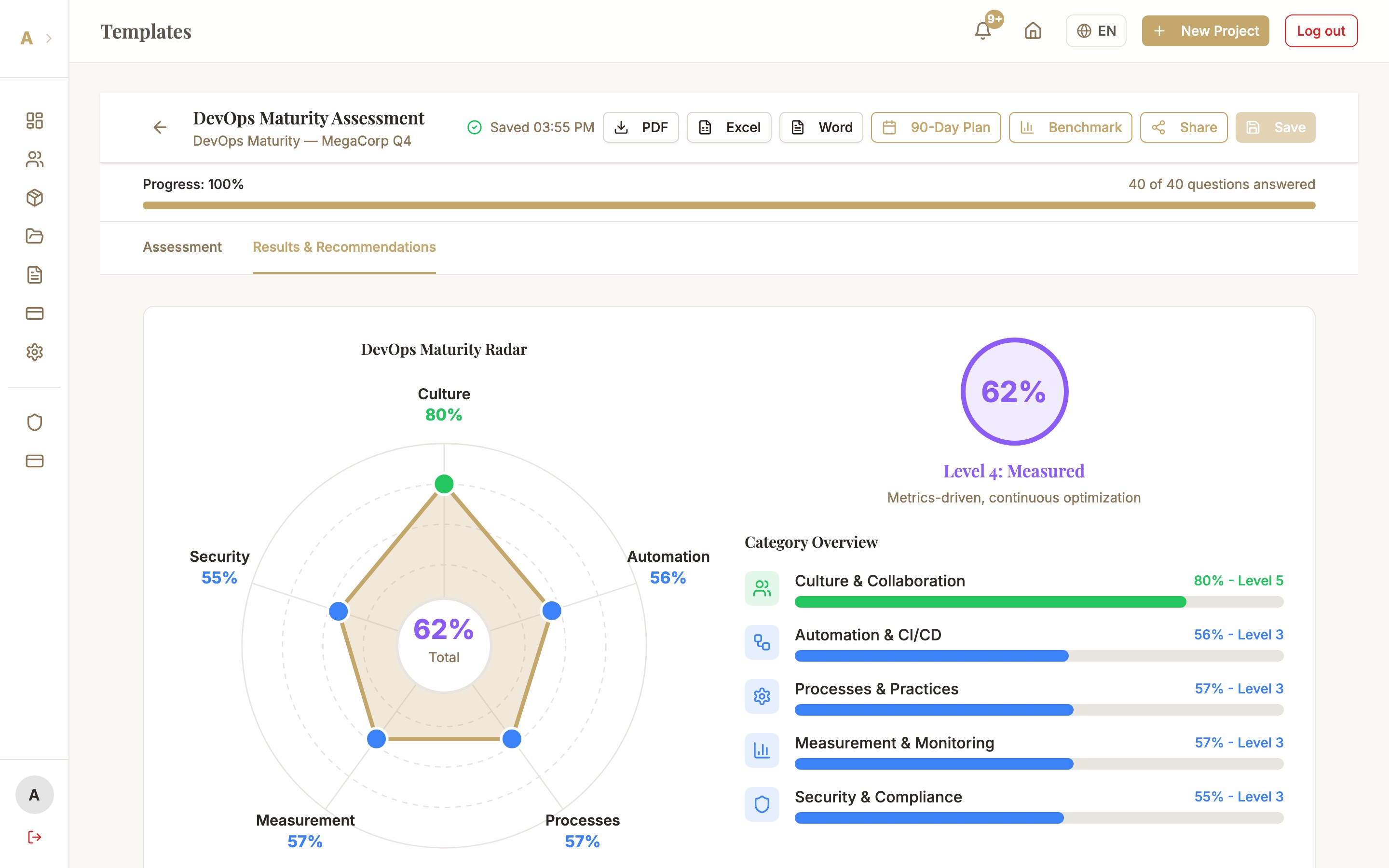
What the Synthesis Offers
Executive Summary
A compressed summary of all assessment results in the project — in 1–2 pages. Ideal as an opener for client conversations or as an introduction to the project report. The AI distills the most important insights across all templates and ranks them by strategic relevance.
Risk Correlation
Weaknesses in different domains often correlate: weak Security Governance (in the cybersecurity assessment) typically correlates with weak Patch Management (in the DevOps assessment). The synthesis uncovers these hidden connections and explains why they are more dangerous than the sum of their parts.
What-If Analysis
With the What-If slider you can simulate: "What happens to the overall score if domain X improves by 20 points?" The AI calculates the impact on all connected domains and shows which single improvement has the greatest lever effect on the overall score.
Dependency Map
A visual representation of dependencies between recommendations: which measures need to be implemented first for others to be effective at all? The dependency map helps with prioritization and prevents costly measures from being implemented without the necessary foundation.
Prerequisites
- Enterprise plan active
- At least 2 templates in the same project
- AI recommendations have been generated for each of these templates
Starting the Synthesis
Navigate to the project
Open the project that contains at least 2 templates with AI recommendations. On the project overview page you see all associated assessments and their status.
Click the synthesis button
In the project header you find the "AI Synthesis" button (network icon). It is active once the prerequisites are met. Click it. Generation takes 15–45 seconds depending on the number of templates.
Analyze the results
The synthesis modal opens with several tabs: Executive Summary, Risk Correlation, What-If Analysis, and Dependency Map. Start with the Executive Summary for the overall view, then delve into the areas most relevant for your client.
The synthesis can be exported as part of the project report — it automatically appears as its own section in the PDF.
Common Issues
Synthesis button is locked or not visible
Check: (1) Enterprise plan active under Account → Subscription, (2) At least 2 templates in the project, (3) AI recommendations have been generated for both templates (star icon in workspace). All three conditions must be met.
Synthesis is empty or shows "Not enough data"
The synthesis needs AI recommendations in at least 2 templates. Open each template in the workspace and click "AI Recommendations" if none have been generated yet. Also make sure the assessments are at least 50% complete.
What-If analysis shows no impact
The What-If analysis works best when there are content overlaps between templates (e.g. Security + DevOps share topics like Patch Management). If the templates are very different in subject matter, the dependencies are naturally lower. Add more thematically related templates to the project.
Next Steps
- Project Report — embed synthesis as a section in the overall report
- Multi-Stakeholder Assessments — collect multiple perspectives for a deeper synthesis basis
- AI Chat — delve deeper into synthesis details in conversation