Plans & Pricing
Alev-B offers four plans — from a free entry point to the full Enterprise package for teams. All plans include core functionality; higher tiers unlock additional AI features, more templates, and collaboration tools.
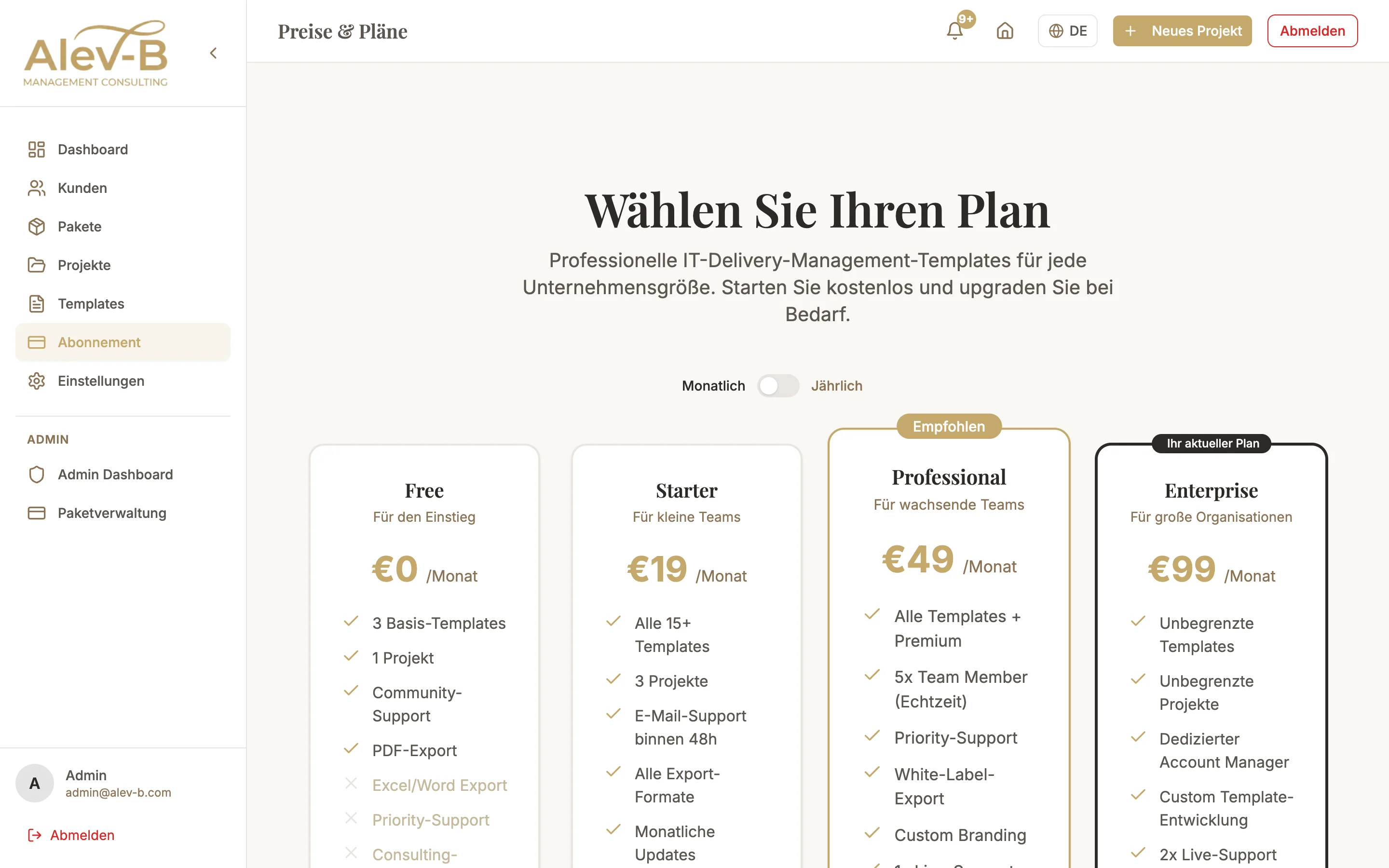
Plan Overview
Free
- Up to 3 templates active simultaneously
- Basic scores and category evaluation
- No AI features
- No exports
- Ideal for trying out
Starter — €19/month
- Up to 8 templates
- Generate AI recommendations
- PDF and Excel export
- AI chat in workspace
- Email support
Professional — €49/month
- Up to 15 templates
- Implementation Guide per recommendation
- Story Mode PDF (AI-generated management narrative)
- Benchmark comparison with real industry data
- Word export
- Client and project management
- Priority support
Enterprise — €99/month
- All templates without limit
- Team features: invite members, roles, activity feed
- Cross-Template Synthesis
- Multi-stakeholder assessments (share links)
- Transformation roadmap in project report
- White-label branding (logo, colors)
- Dedicated support
Upgrading your Plan
To change your plan: navigate to Settings → Subscription. There you see your current plan and all available upgrade options. Click on the desired plan and follow the instructions in the Stripe checkout.
An upgrade takes effect immediately. When you move from a lower to a higher plan, the price for the remaining billing period is prorated.
Common Questions
What happens when I downgrade?
When downgrading, your current plan runs until the end of the paid period. After that, features that no longer correspond to your new plan are deactivated — but your data is retained. You see a warning about which features will be affected before you confirm the downgrade.
Can I switch between monthly and annual billing?
Yes. Under Settings → Subscription → Billing you can switch between monthly and annual billing. Switching to annual billing is immediate. Switching back to monthly is only possible at the end of the current annual period.
Next Steps
- Stripe Billing — invoices, payment methods, and cancellation
- Account Settings — configure profile and white-label branding